

Payvala Virtual Soundbox
Merchant Onboarding Guide
A complete onboarding experience for merchants to activate the Payvala Virtual Soundbox, configure NQR, complete identity verification, and start receiving instant payment voice alerts.
Platform Highlights
✅ 90 Days Free Trial
✅ Instant Voice Alerts
✅ NQR Enabled
✅ Multi-Language Support
✅ Real-Time Dashboard Access
✅ Secure Merchant Verification
STEP 1
SignupSTEP 2
NQR MappingSTEP 3
BVN VerifySTEP 4
Soundbox ActivateSTEP 5
Dashboard ReadyMerchant Onboarding Journey
- Step 1 - Signup & Contact Verification
- Step 2 - NQR Selection & Mapping
- Step 2 (Option 2) - BVN Identity Verification (Only for New NQR Issuance)
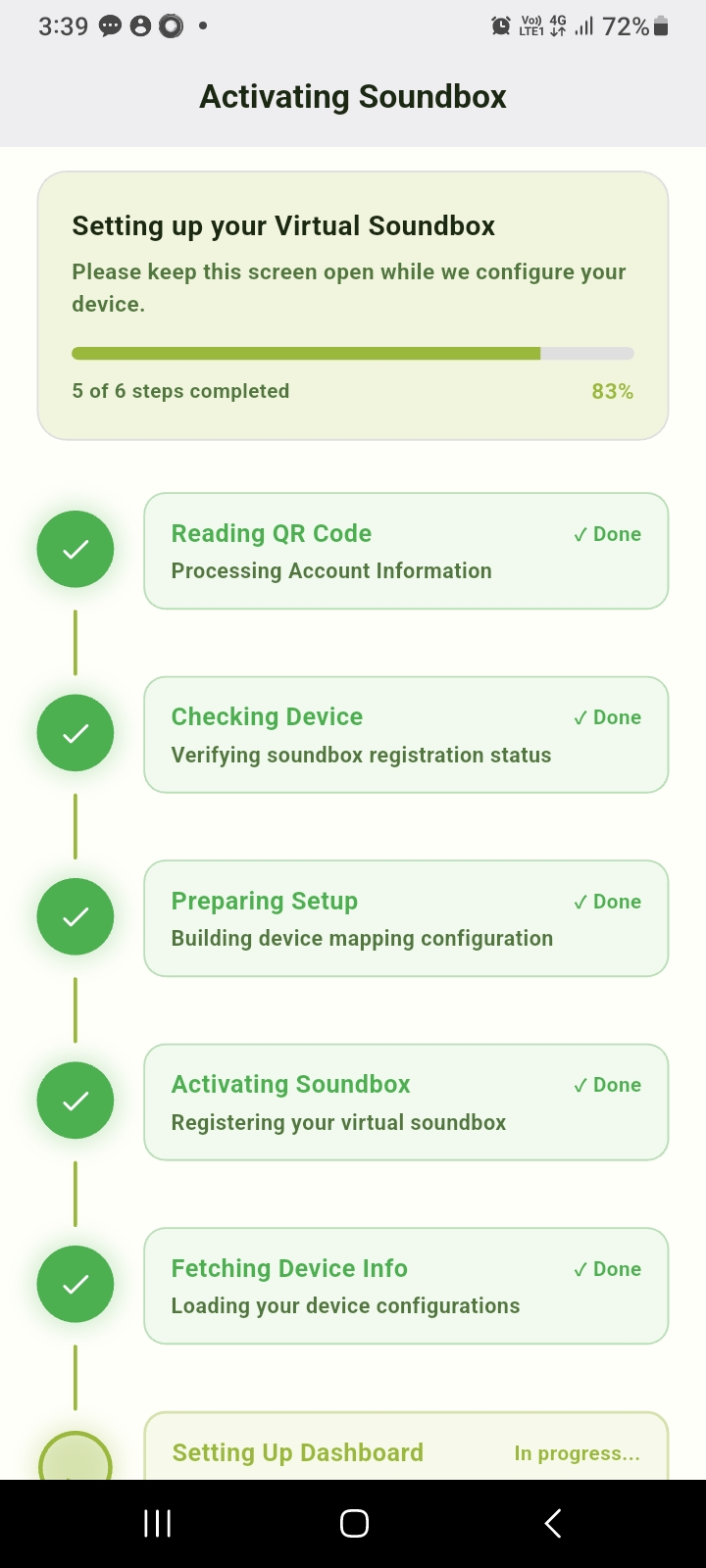
- Step 3 - Virtual Soundbox Activation
- Step 4 - Dashboard Setup Complete
Step 1: Merchant Signup
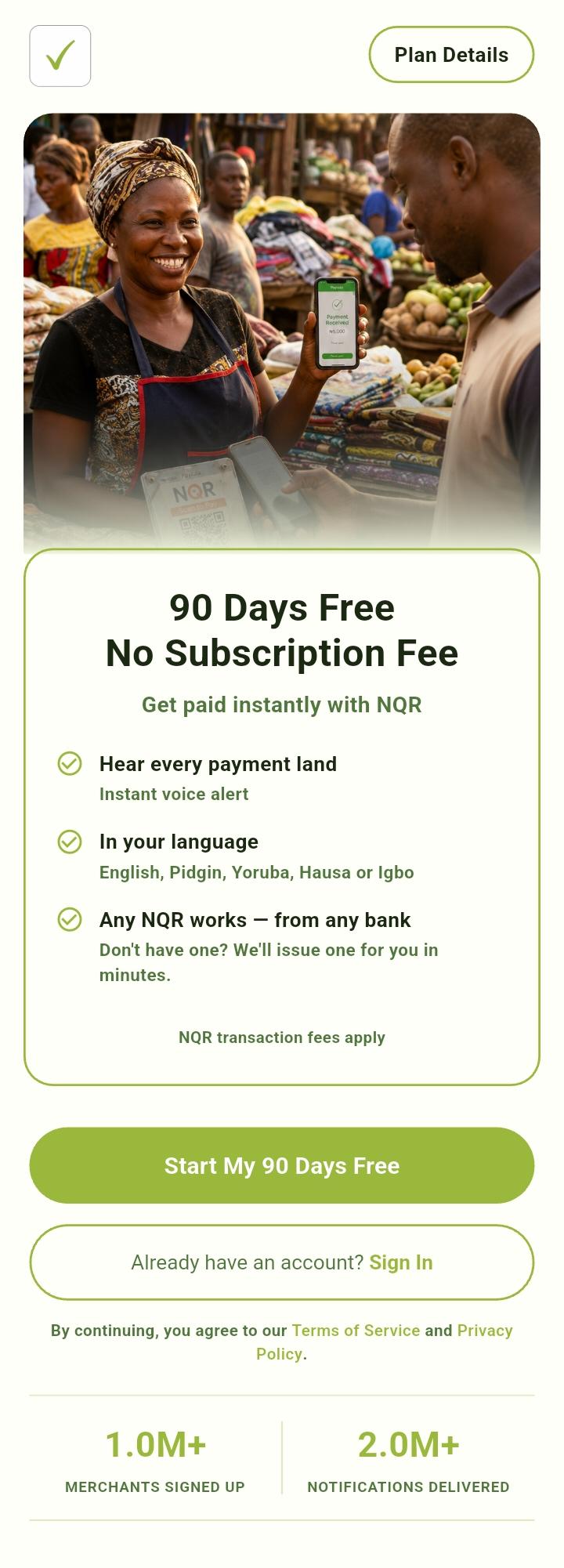
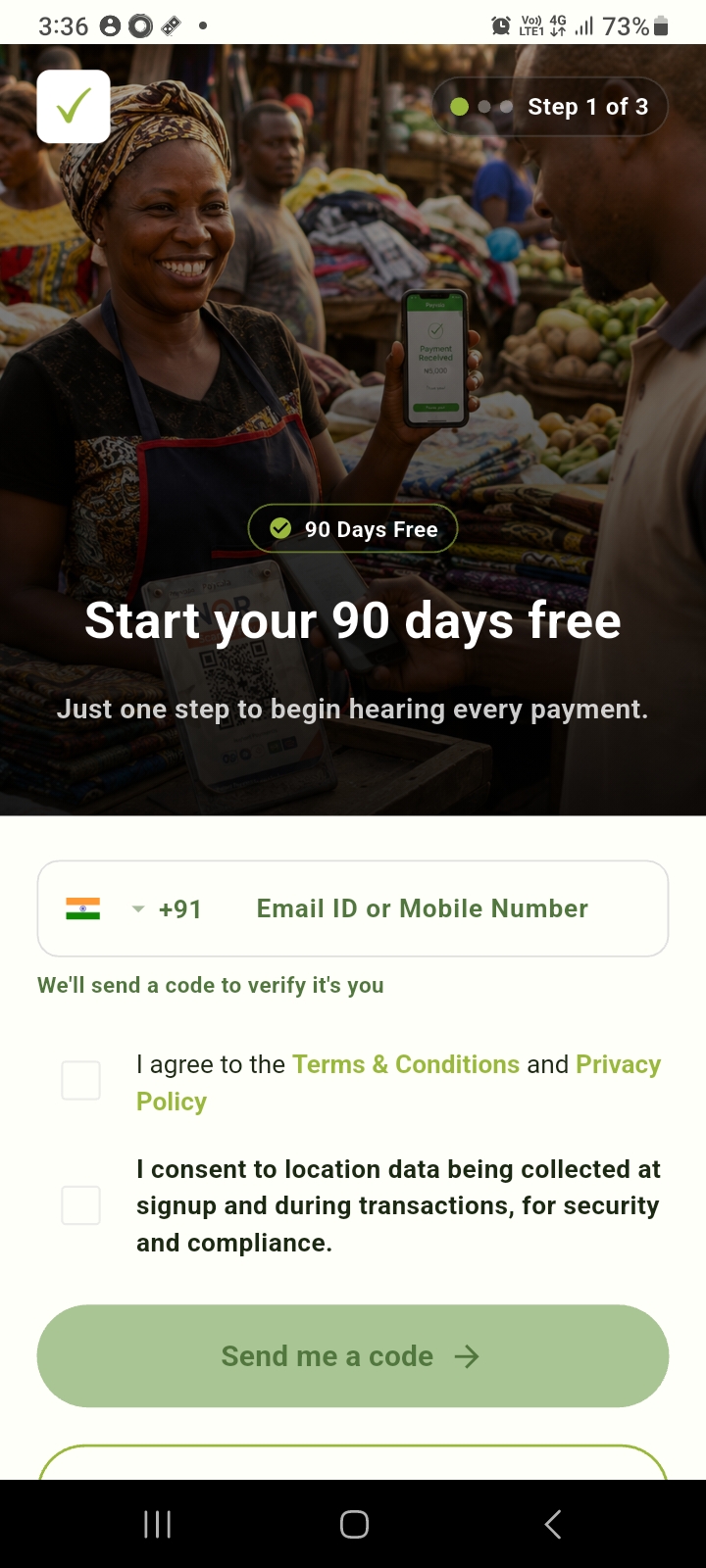
Contact VerificationStart Your 90 Days Free
The merchant enters Email Address or Mobile Number, Terms & Conditions Consent, Privacy Policy Consent, and Location Permission Consent, then clicks Send me a code.
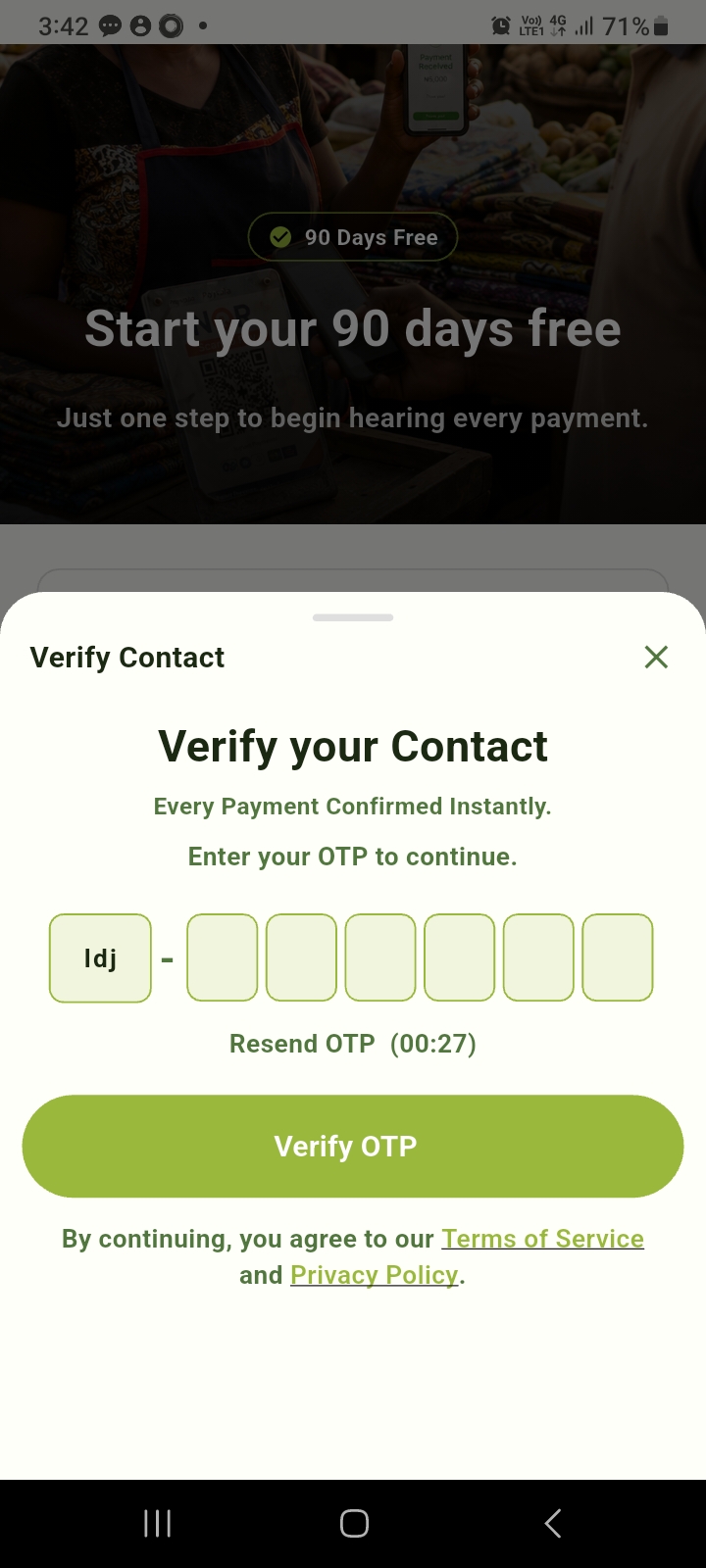
System sends OTP. Merchant enters OTP, verifies contact info, and continues onboarding.
Step 2: NQR Selection & Mapping
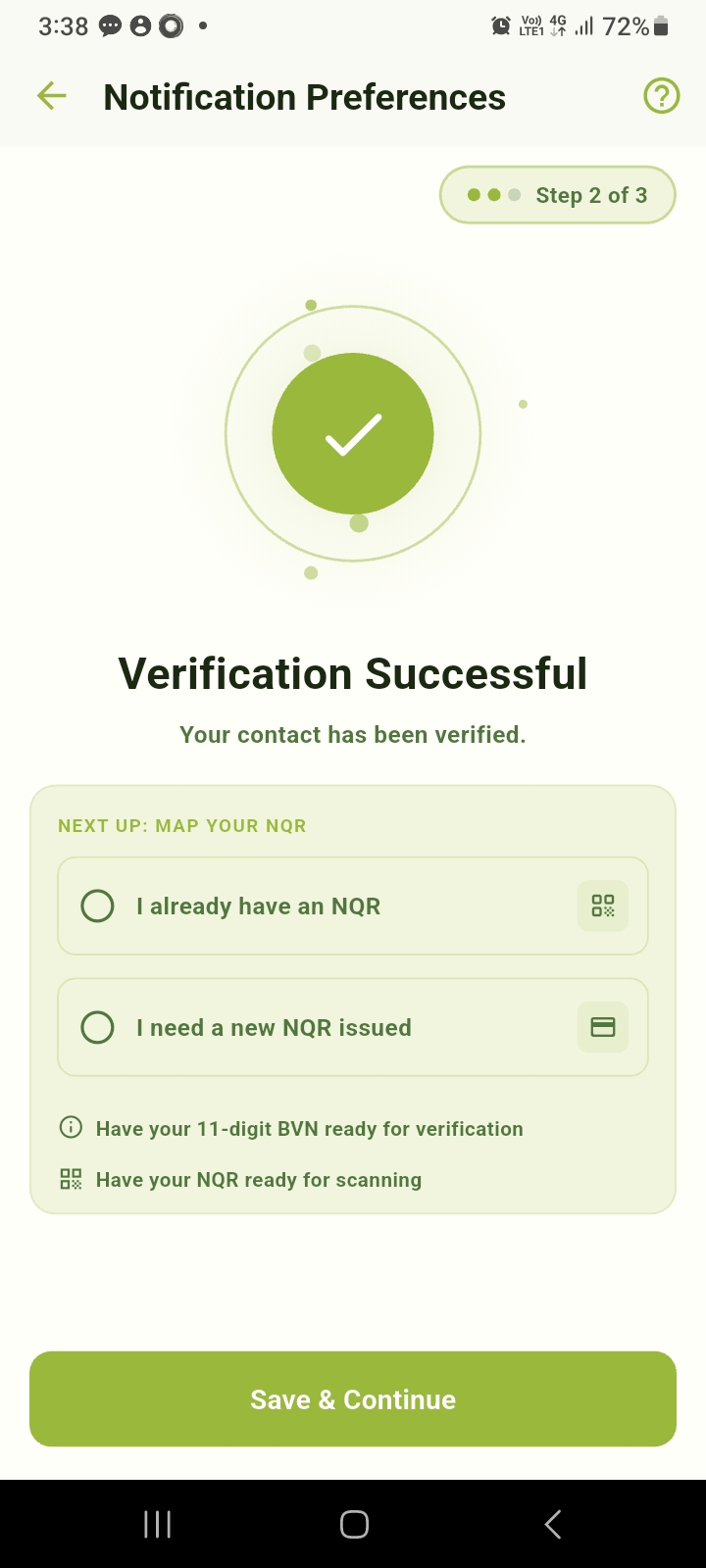
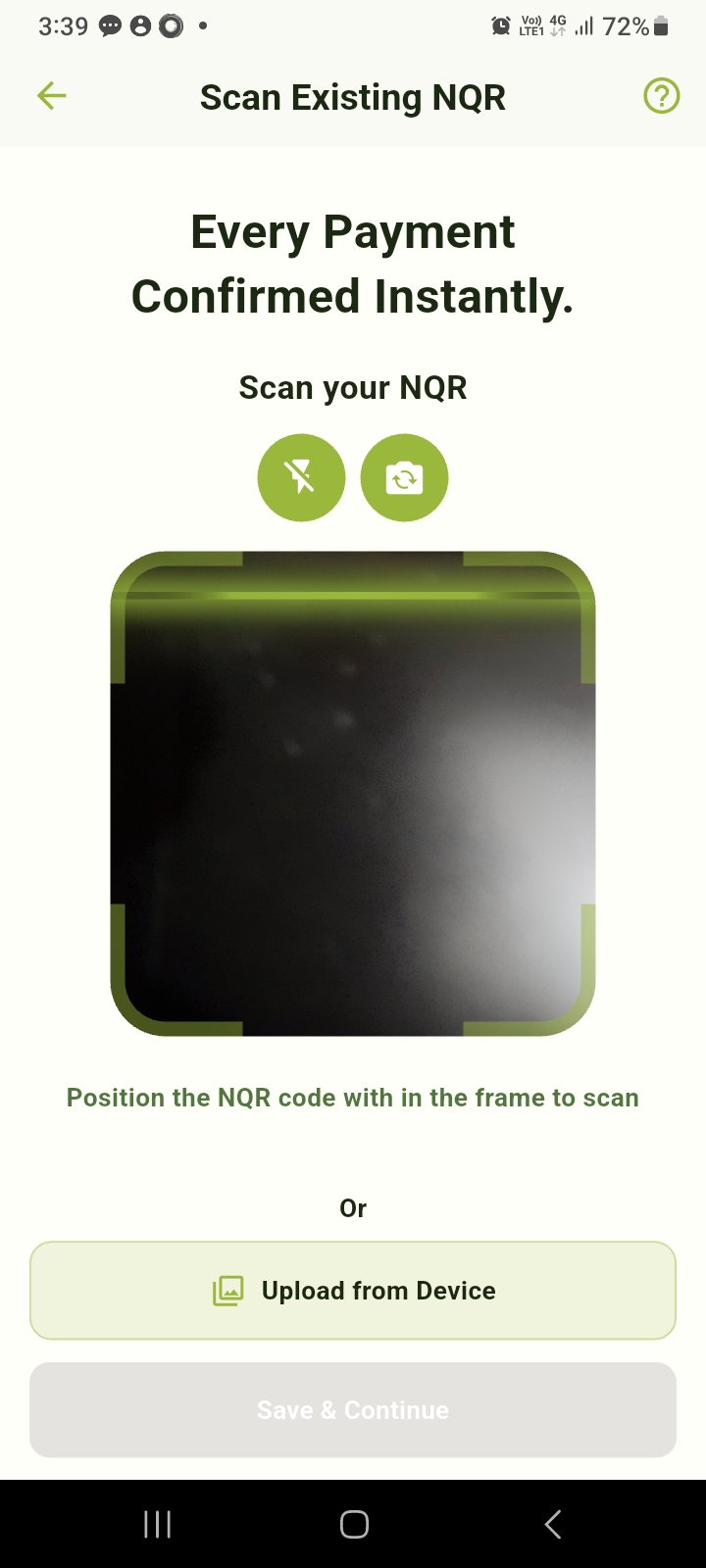
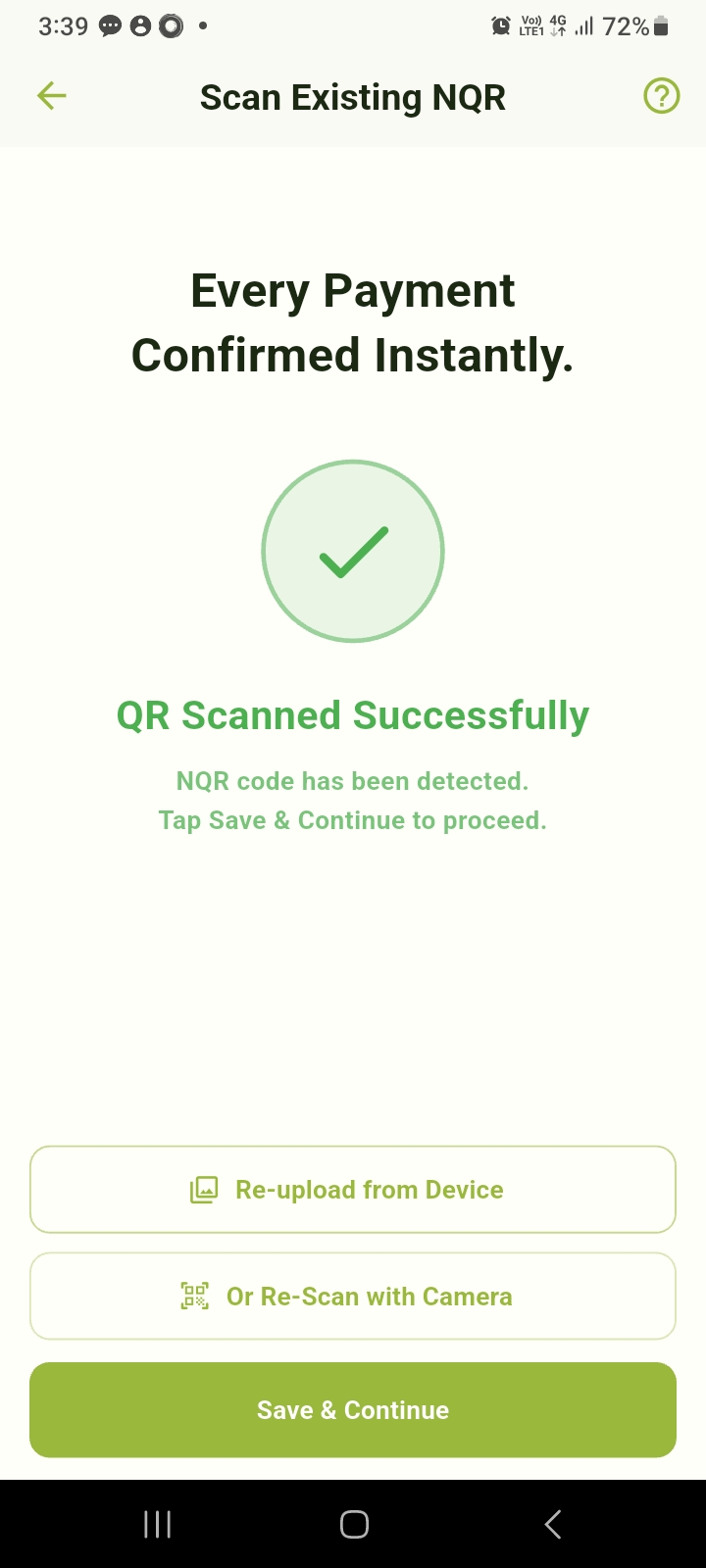
NQR FlowOption 1 - I already have an NQR
Scan via camera or upload QR image, re-scan if needed, then Save & Continue. No BVN required.
If merchant does not have an NQR, continue to Step 3 for new NQR issuance via BVN verification.
Step 2 (Option 2): BVN Identity Verification
New NQR IssuanceOption 2 - I need a new NQR issued
This is part of Step 2 flow. If merchant selects Option 2, they proceed to BVN verification before new NQR issuance.
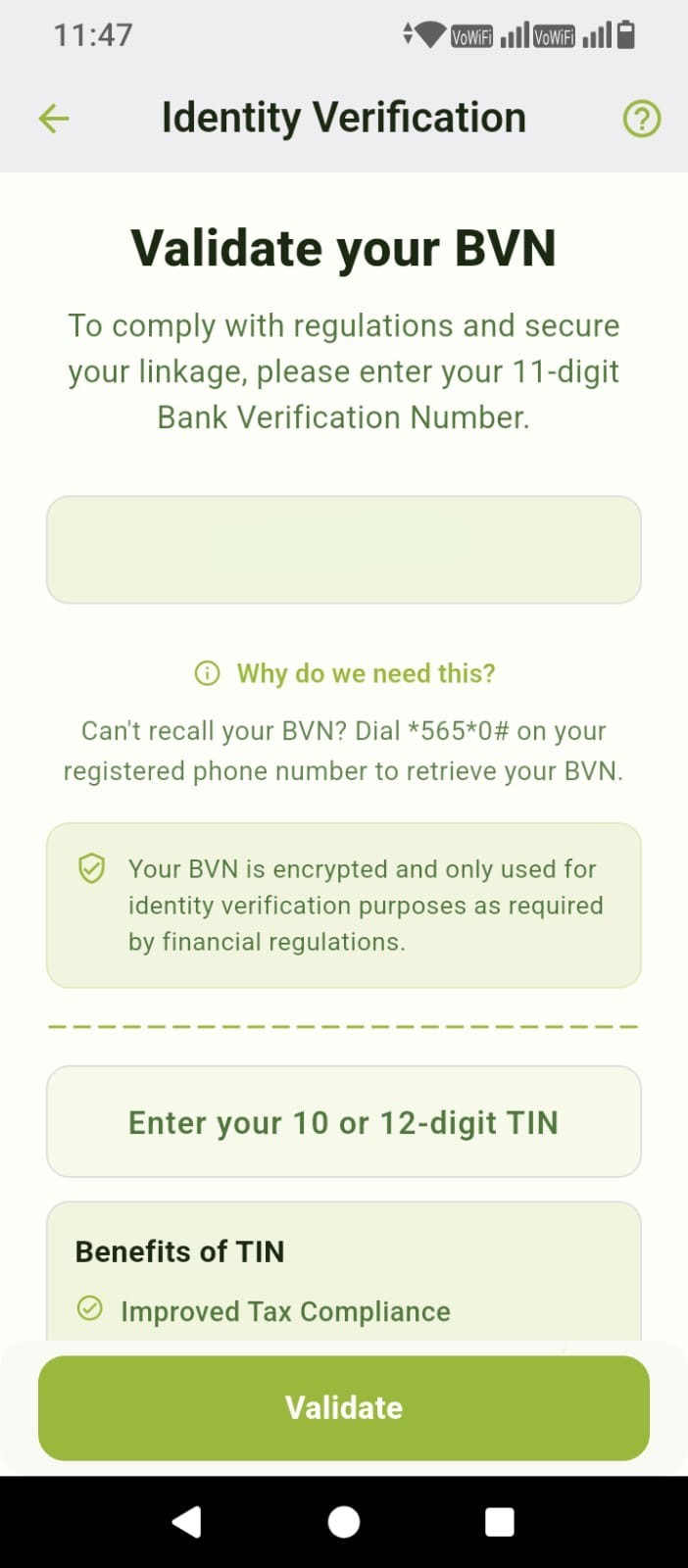
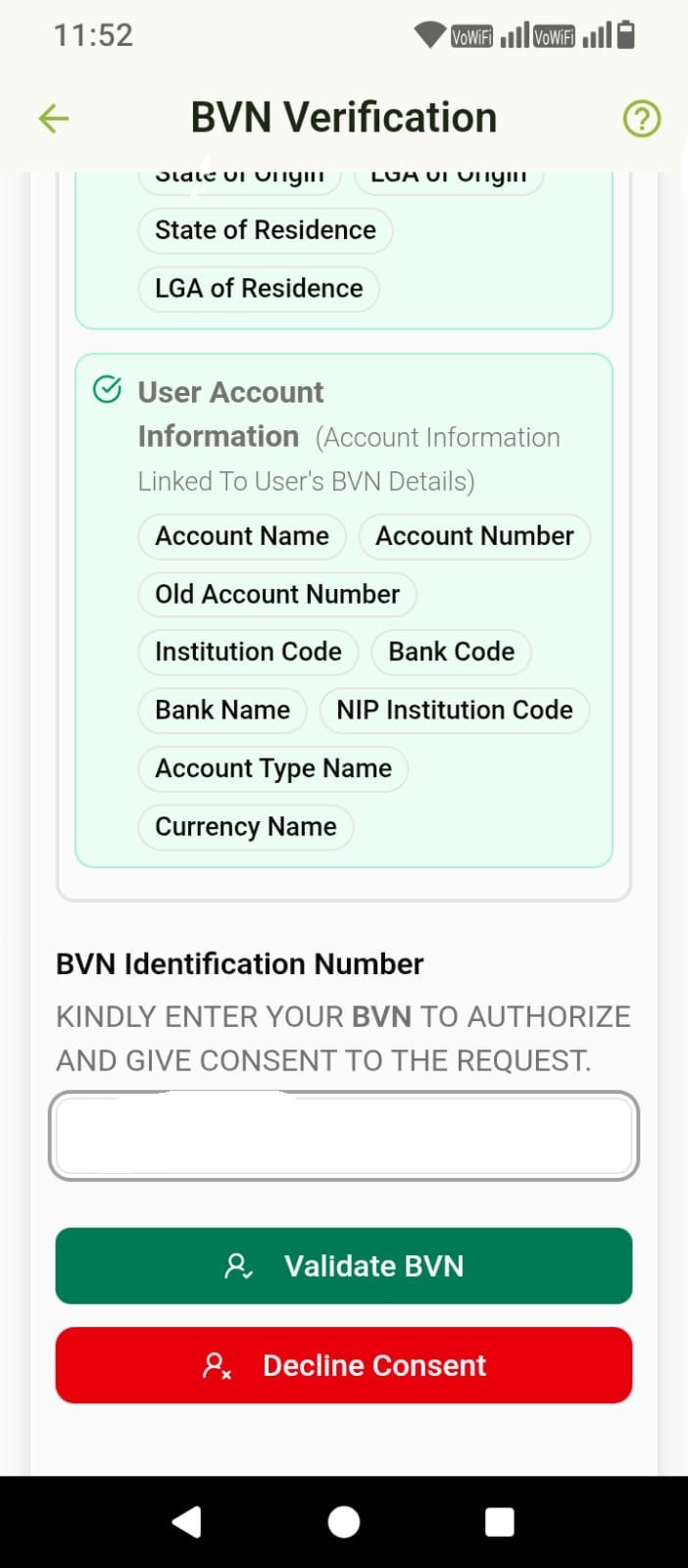
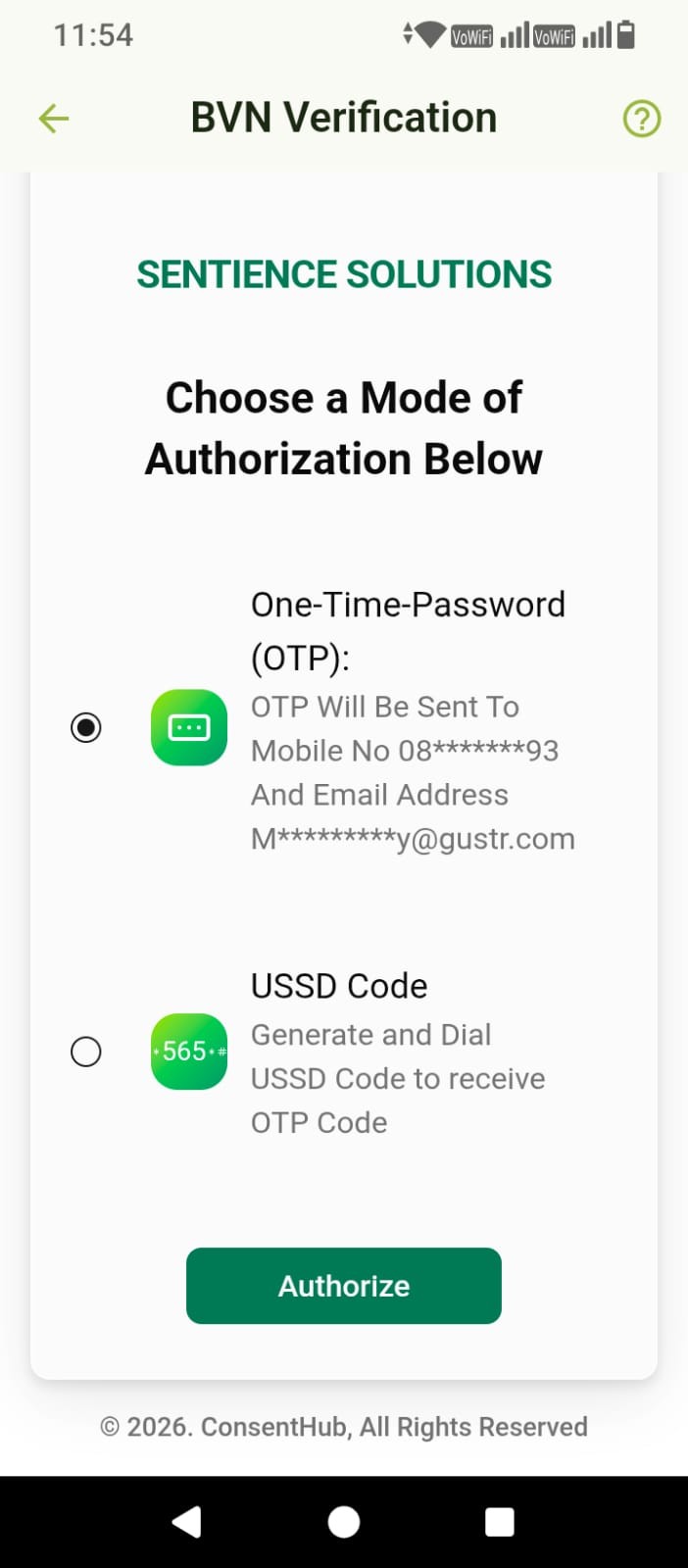
Validate Your BVN (11-Digit)
BVN verification secures merchant identity, prevents fraud, supports compliance, and authorizes new NQR issuance.
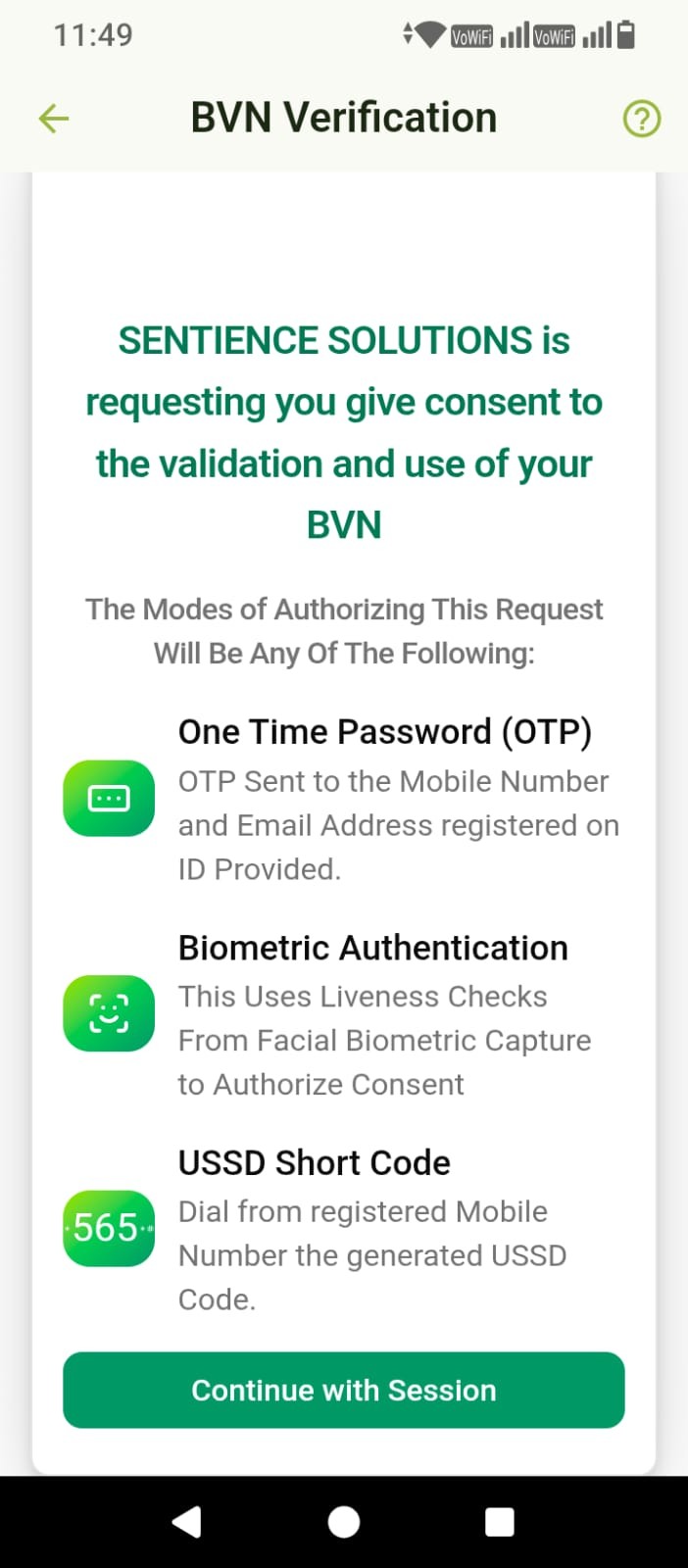
Authorization methods: OTP, USSD, Biometric. On success, new NQR is generated and linked to merchant profile.
Step 3 & 4: Activation and Dashboard
Go LiveSubscription & Plan Configuration
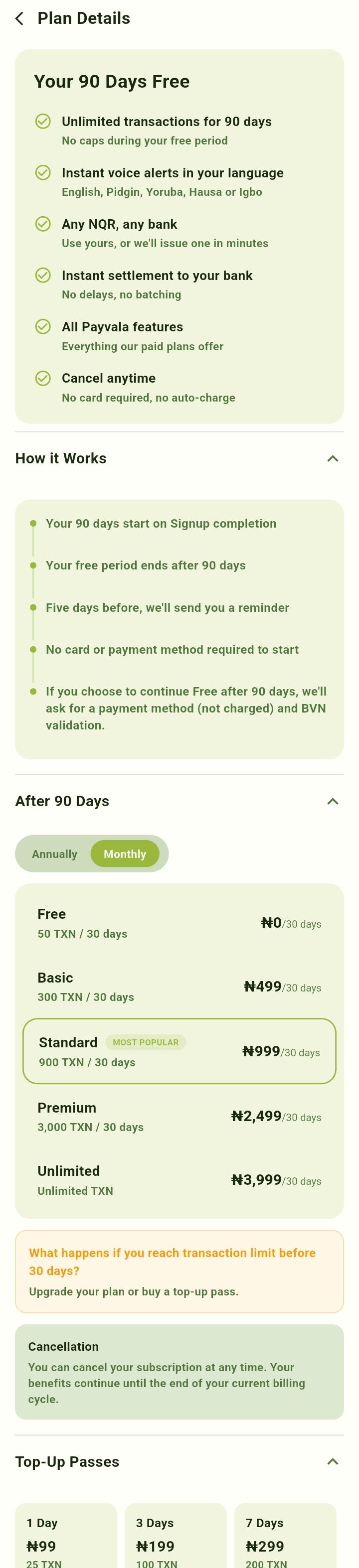
90 days free trial includes instant voice alerts, real-time dashboard, and multi-language support (English, Pidgin, Yoruba, Hausa, Igbo).
After trial plans: Free, Basic, Standard, Premium, Unlimited, with optional top-up passes.
Activation Completed
✅ Merchant account becomes active
✅ Virtual Soundbox is activated
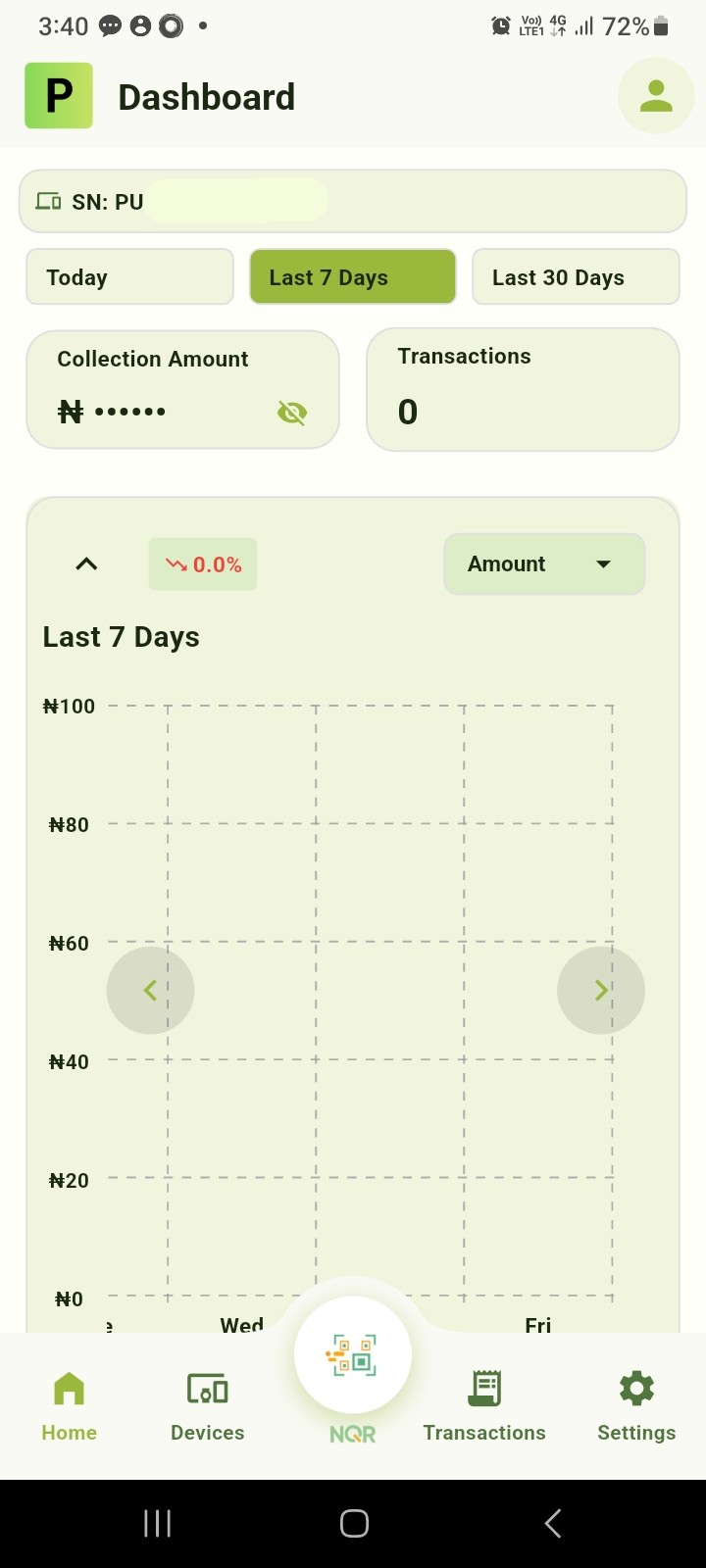
✅ Dashboard access is enabled
✅ Voice alerts become operational
✅ NQR mapping is completed
Core Features
- Instant Voice Alerts: Receive payment confirmations instantly.
- Secure Merchant Verification: OTP + BVN + Consent authorization.
- Flexible NQR Support: Use existing NQR or issue new.
- Multi-Language Notifications: Localized alerts.
- Real-Time Dashboard: Monitor transactions live.
- Fast Digital Activation: Complete onboarding in minutes.